介绍
pytest是单元测试框架,在软件测试中作用是管理测试用例, 执行测试用例, 生成测试报告。该框架能够组织多个用例去执行,方便实现参数化。
安装
windows黑窗口安装,考虑到默认下载地址是国外,加上镜像源,采用清华大学镜像源,命令:- pip install -i https://pypi.tuna.tsinghua.edu.cn/simple pytest
pytest书写用例
步骤:
1.定义测试类(建议类名以 Test开头)
2.书写测试方法, 即真正的用例代码(建议方法名以 test 开头)
注意:测试用例的代码文件名不要使用中文, 遵循标识符的规则,文件名建议以 test 开头。
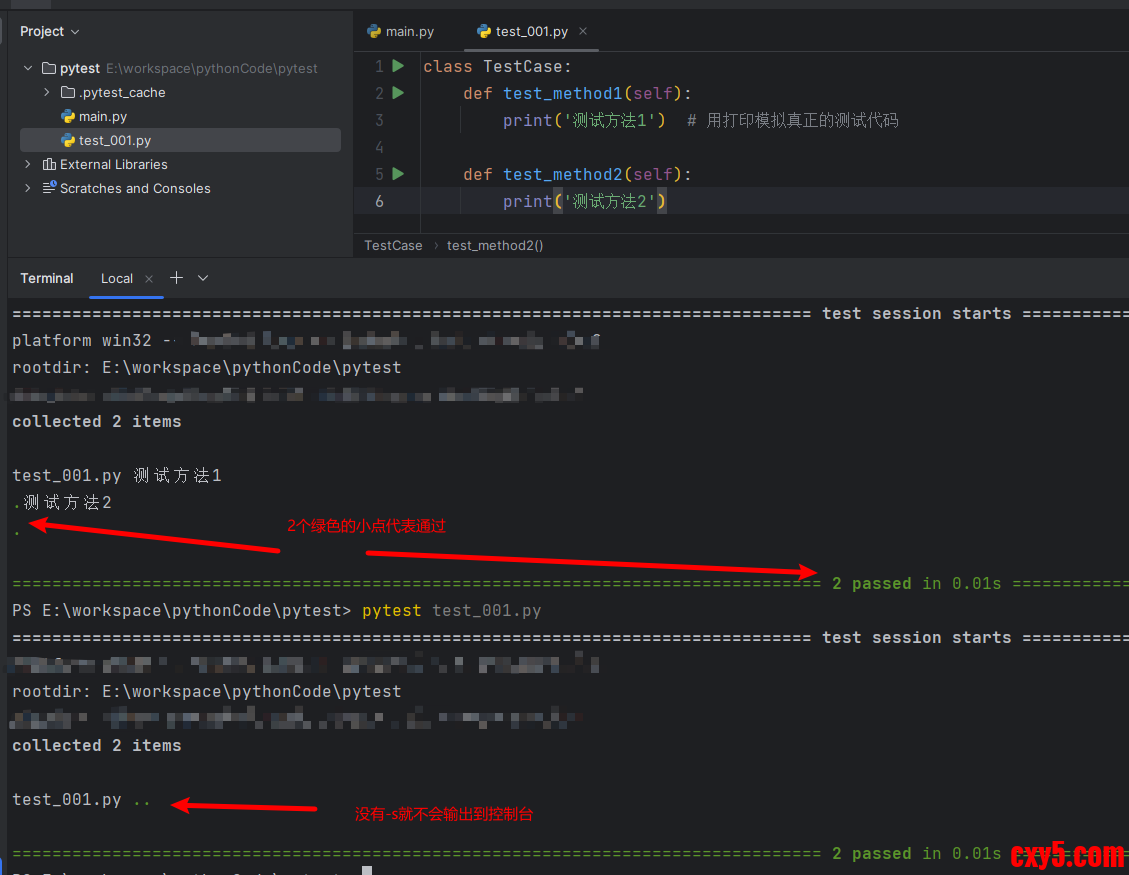
示例:- class TestCase:
- def test_method1(self):
- print('测试方法1') # 用打印模拟真正的测试代码
-
- def test_method2(self):
- print('测试方法2')
方法一:在终端中用命令
-s的作用是输出显示代码中的print
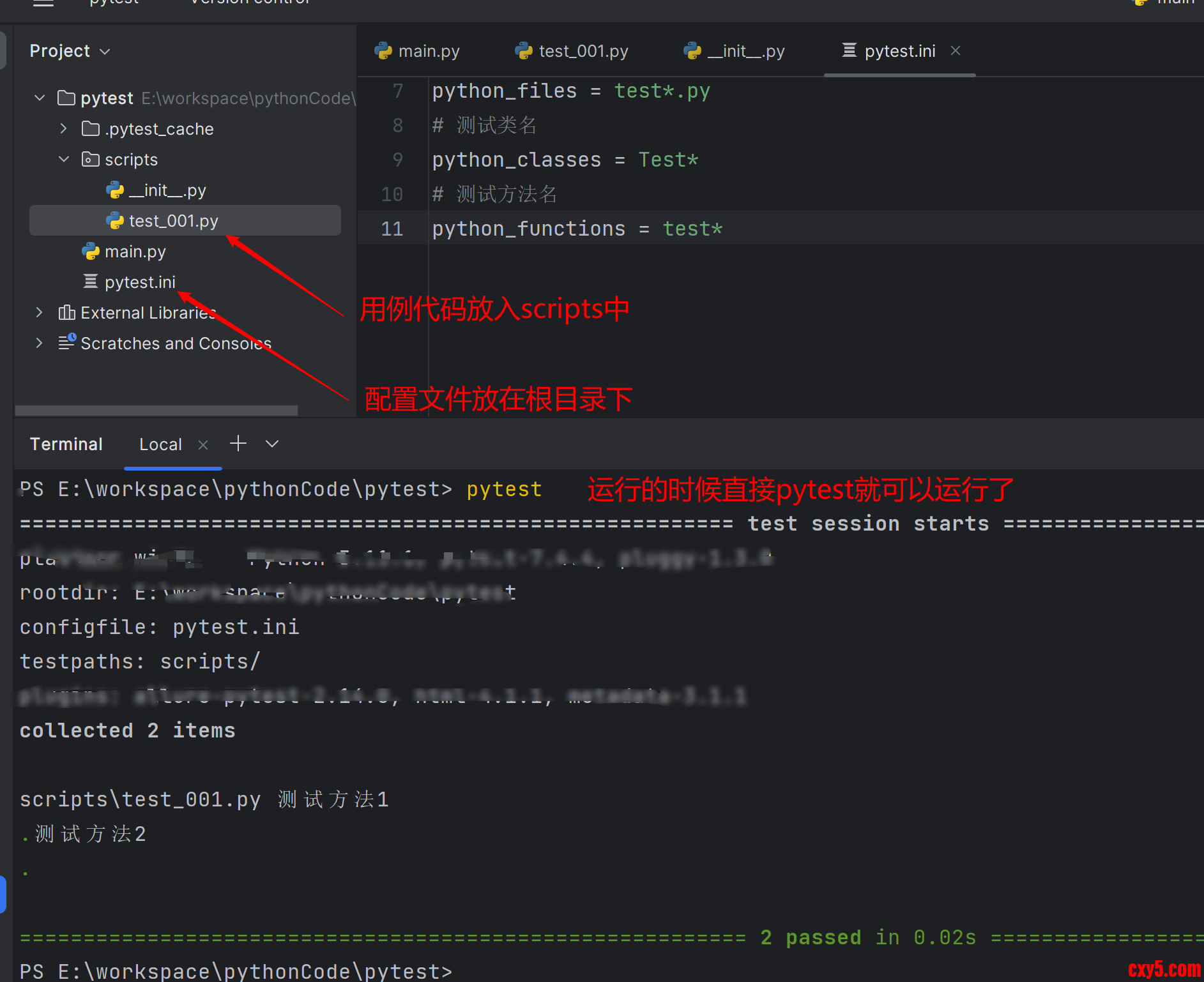
方法二:使用配置文件运行(重点)
配置文件创建在代码的根目录中,名字一般写作 pytest.ini ,第一行必须是[pytest],有了配置文件后,之后终端中运行,都会调用配置文件。- [pytest]
- # 选项
- addopts = -s
- # 文件所在目录
- testpaths = scripts/
- # 文件名
- python_files = test*.py
- # 测试类名
- python_classes = Test*
- # 测试方法名
- python_functions = test*
断言
让程序代码自动判断预期结果和实际结果是否相符。如果相符,则断言成功,用例通过。如果不相符, 则断言失败,用例不通过,抛出异常。断言使用的是 assert 关键字,2种使用方法,如下:- assert 预期结果 == 实际结果 # 断言是否相等
- assert 预期结果 in 实际结果 # 断言预期结果是否包含在实际结果中
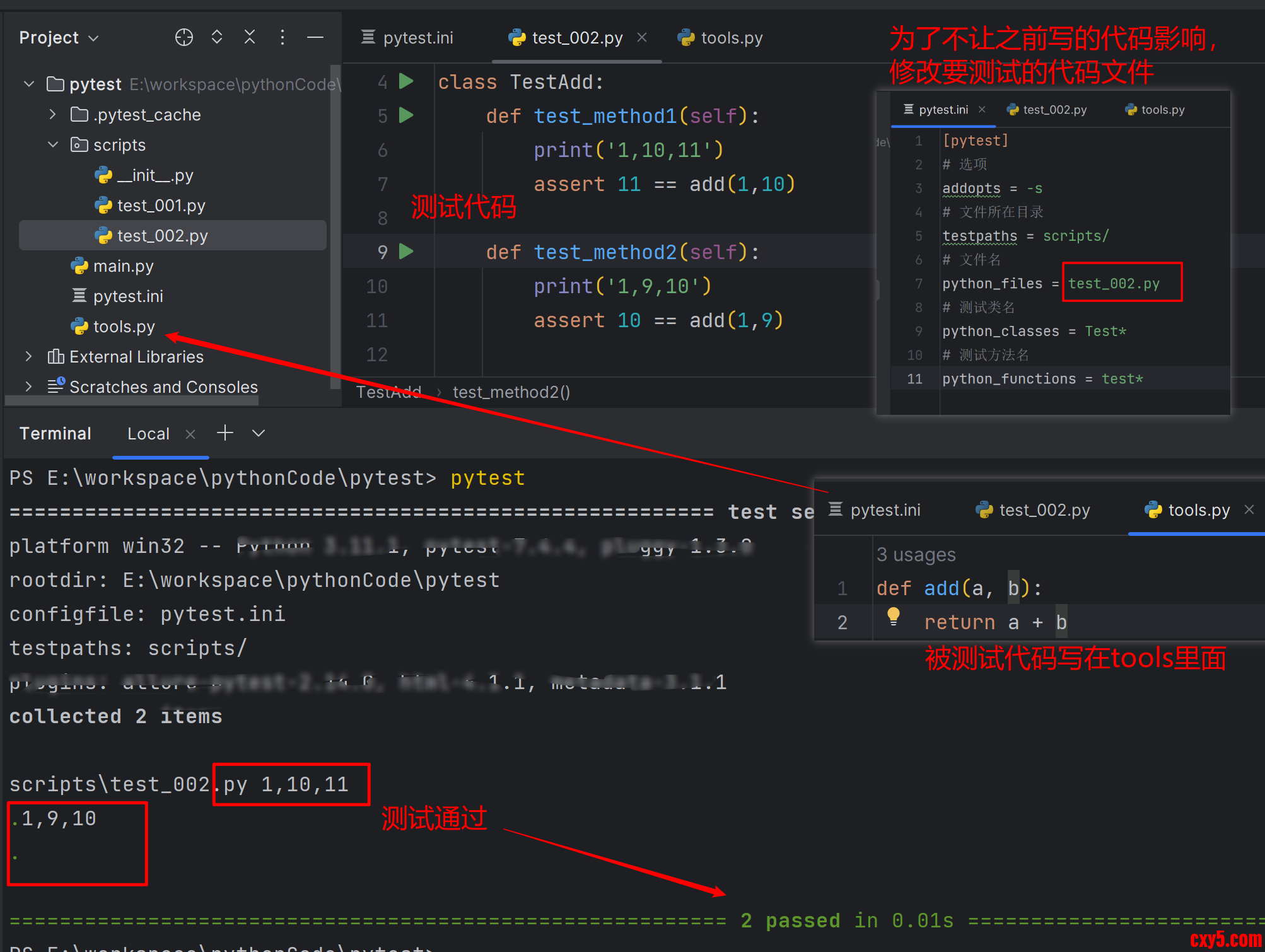
测试如下代码,写在tools.py里面:- def add(a, b):
- return a + b
1,10,11 1,9,10
测试代码如下:- from tools import add
- class TestAdd:
- def test_method1(self):
- print('1,10,11')
- assert 11 == add(1,10)
- def test_method2(self):
- print('1,9,10')
- assert 10 == add(1,9)
参数化
上面2个用例只是测试数据不同,其他都相同,这种情况可以使用参数化来优化代码。
步骤:
- 将用例中的数据变为参数书写
- 组织测试数据 ---> [(), (), ()]或者 [[], []], 内部的元组或者列表就是一组测试数据
- 使用装饰器完成参数化
例子:
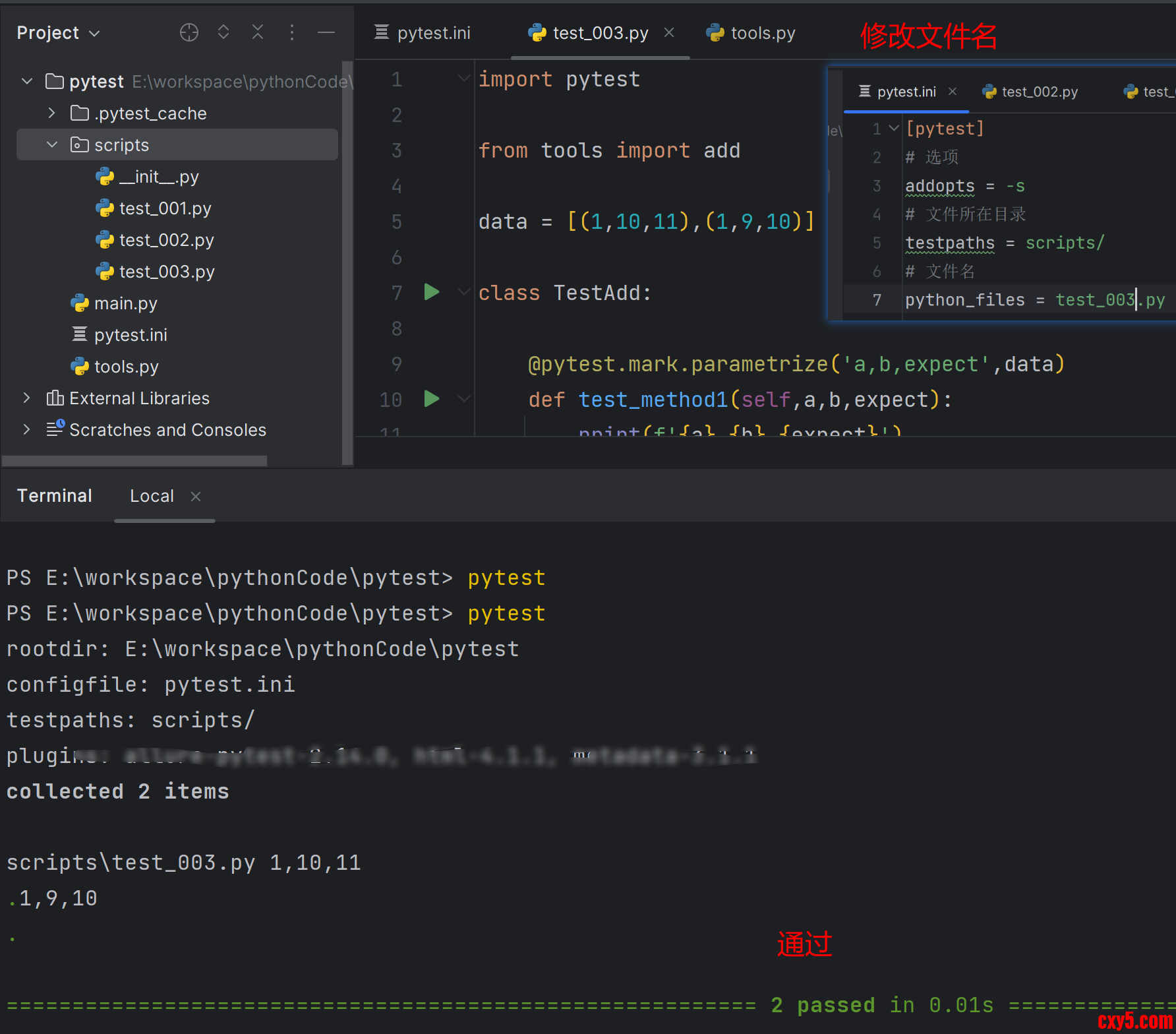
测试代码:- import pytest
- from tools import add
- data = [(1,10,11),(1,9,10)]
- class TestAdd:
- @pytest.mark.parametrize('a,b,expect',data)
- def test_method1(self,a,b,expect):
- print(f'{a},{b},{expect}')
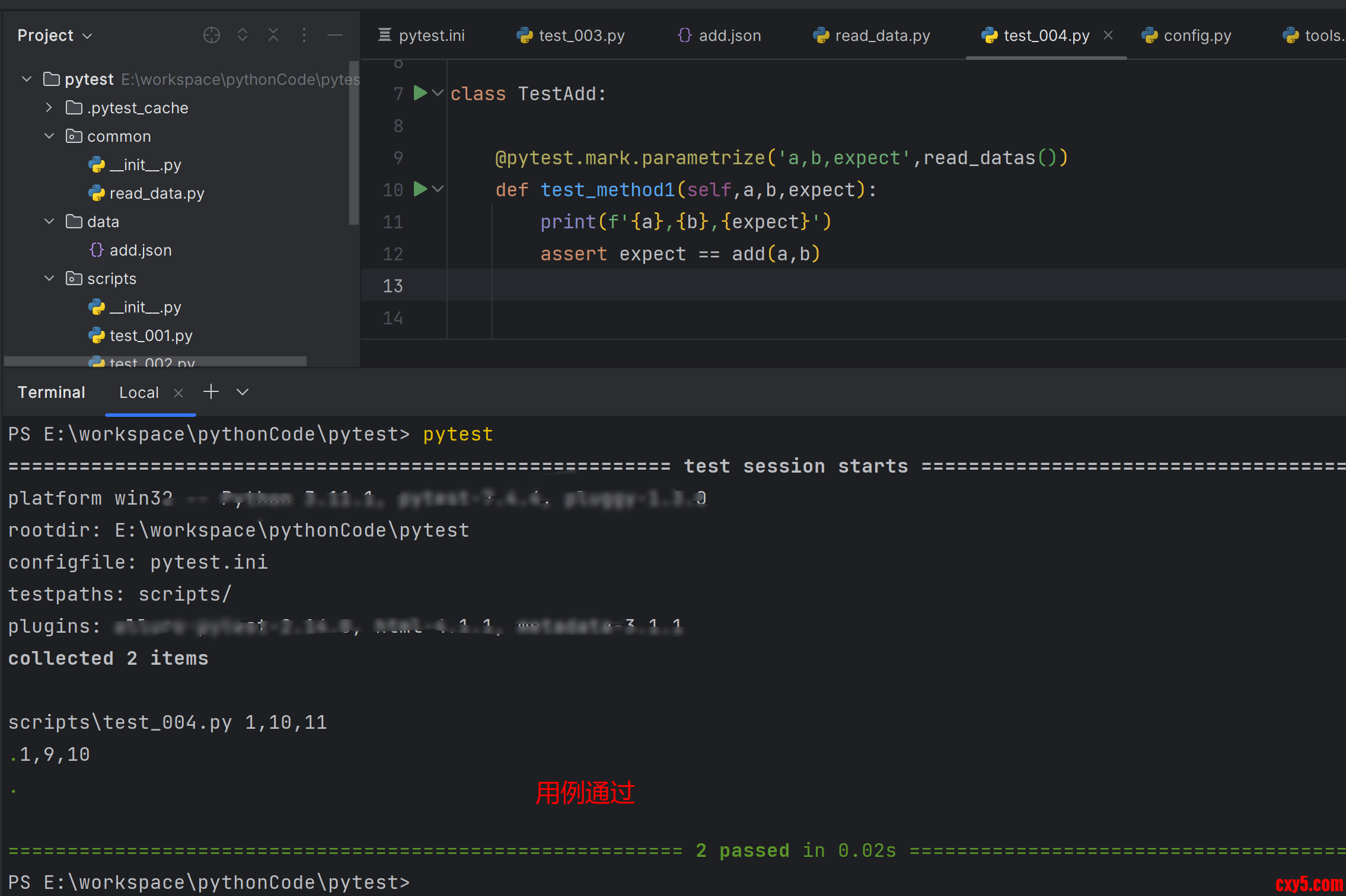
- assert expect == add(a,b)
项目分目录处理
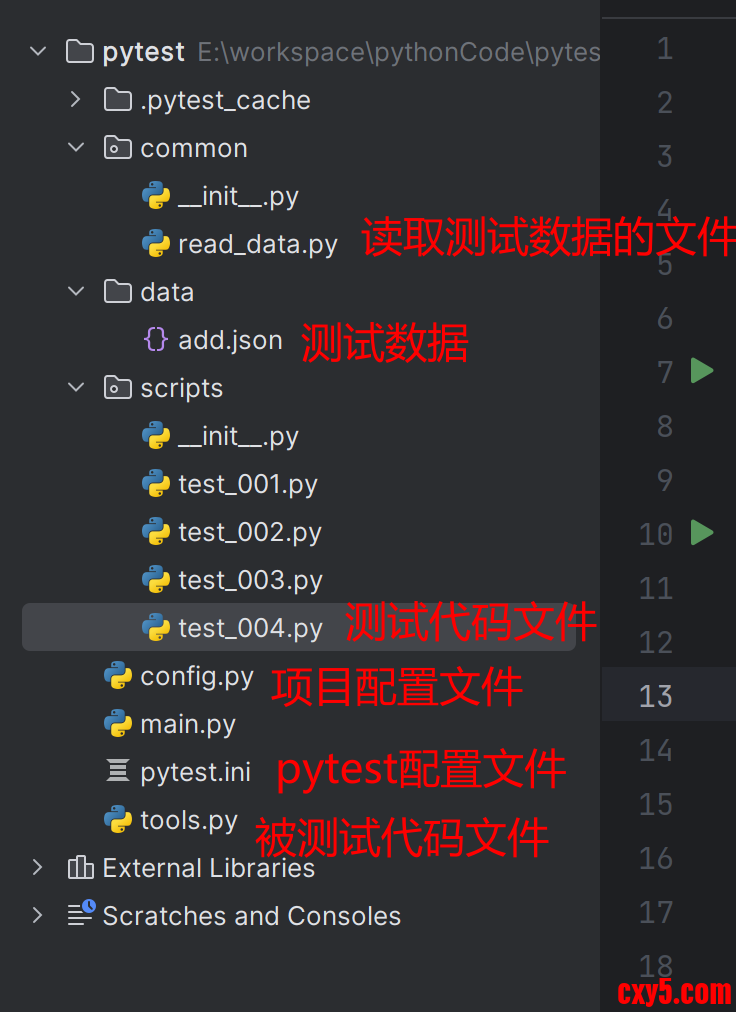
上面的代码中测试数据和测试用例混合在一起,不规范,应该分开,一分开的话就需要有读取测试数据的代码,这些都要进行规范化管理。
- pytest.ini 放在项目根目录下
- 测试数据单独一个目录data
- 读取测试数据一般放在common包中
- 读取数据时要用绝对路径,路径一般比较长,直接写在项目的配置文件config.py中
- 用例代码(脚本)一般script包中
项目分目录截图:
例子:
pytest.ini:- [pytest]
- # 选项
- addopts = -s
- # 文件所在目录
- testpaths = scripts/
- # 文件名
- python_files = test_004.py
- # 测试类名
- python_classes = Test*
- # 测试方法名
- python_functions = test*
- import os
- BASE_PATH = os.path.dirname(__file__) # 获取当前项目的路径
- def add(a, b):
- return a + b
- import json
- from config import BASE_PATH
- def read_datas():
- with open(BASE_PATH + '/data/add.json',encoding='utf-8') as f:
- data = json.load(f)
- return data
- if __name__ == '__main__':
- print(read_datas())
- import pytest
- from common.read_data import read_datas
- from tools import add
- class TestAdd:
- @pytest.mark.parametrize('a,b,expect',read_datas())
- def test_method1(self,a,b,expect):
- print(f'{a},{b},{expect}')
- assert expect == add(a,b)
测试报告
步骤:
- 安装,黑窗口安装
- pip install pytest-html -i https://pypi.douban.com/simple
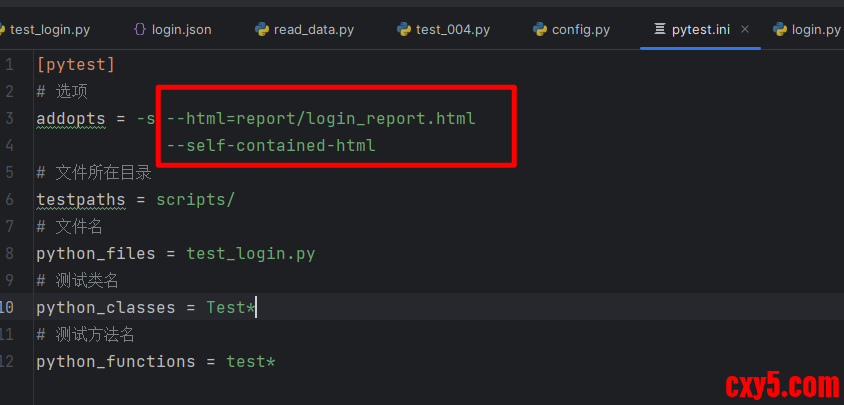
- 在 pytest 配置文件中添加配置选项
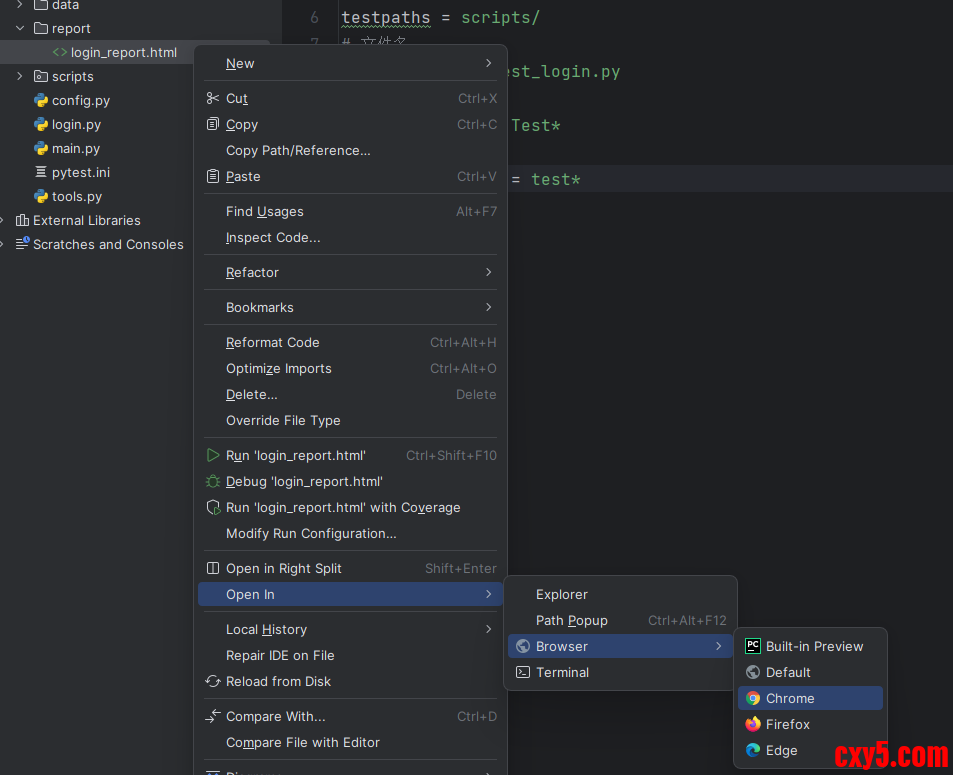
- addopts = -s --html=report/login_report.html
- --self-contained-html
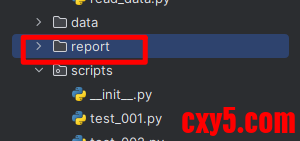
- 项目添加报告目录
前置和后置方法
类级别的前置和后置
在整个测试类执行过程中, 所有用例执行之前执行一次前置方法, 所有用例执行结束,执行一次后置方法- class 测试类名:
- def setup_class(self):
- 类前置,一个类中所有用例执行之前,执行一次
-
- def teardown_class(self):
- 类后置,一个类中所有用例执行之后,执行一次
每个测试方法执行前后都会自动调用- class 测试类名:
- def setup(self):
- 方法前置,每个测试方法执行之前,执行
-
- def teardown(self):
- 方法后置,每个测试方法执行之后执行
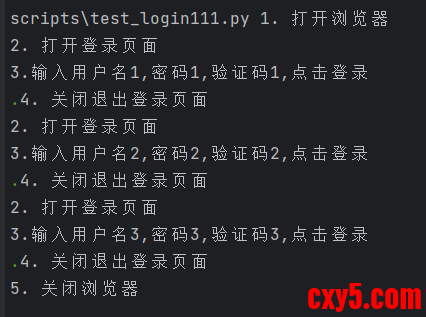
- class TestLogin:
- def setup_class(self):
- print('1. 打开浏览器')
- def teardown_class(self):
- print('5. 关闭浏览器')
- def setup(self):
- print('2. 打开登录页面')
- def teardown(self):
- print('4. 关闭退出登录页面')
- def test_login1(self):
- print(f"3.输入用户名1,密码1,验证码1,点击登录")
- def test_login2(self):
- print(f"3.输入用户名2,密码2,验证码2,点击登录")
- def test_login3(self):
- print(f"3.输入用户名3,密码3,验证码3,点击登录")
前置和后置方法, 在今后的工作中,根据实际用例的需要,去选择,不用同时出现
还是要多写代码啊,加油!!!
来源:程序园用户自行投稿发布,如果侵权,请联系站长删除
免责声明:如果侵犯了您的权益,请联系站长,我们会及时删除侵权内容,谢谢合作! |



 提升卡
提升卡 置顶卡
置顶卡 沉默卡
沉默卡 喧嚣卡
喧嚣卡 变色卡
变色卡 千斤顶
千斤顶 照妖镜
照妖镜


