enableconf tip routingip dhcp excluded-address 10.0.10.1 10.0.10.10ip dhcp pool VLAN10 network 10.0.10.0 255.255.255.0 default-router 10.0.10.2 dns-server 10.0.99.20 lease 7endwr mem! 检查DHCP状态show ip dhcp bindingshow ip dhcp pool
复制代码
ACL:
ip access-list extended GUEST_IN ! DNS permit udp 10.0.50.0 0.0.0.255 host 10.0.99.20 eq 53 permit tcp 10.0.50.0 0.0.0.255 host 10.0.99.20 eq 53 ! Web permit tcp 10.0.50.0 0.0.0.255 host 10.0.99.80 eq 80! Mailhog(按实际端口) permit tcp 10.0.50.0 0.0.0.255 host 10.0.99.30 eq 1025 permit tcp 10.0.50.0 0.0.0.255 host 10.0.99.30 eq 8025 ! 禁止访问其它10/8内部网段 deny ip 10.0.50.0 0.0.0.255 10.0.0.0 0.255.255.255 ! 允许出网 permit ip 10.0.50.0 0.0.0.255 any interface vlan 50 ip access-group GUEST_IN in
复制代码
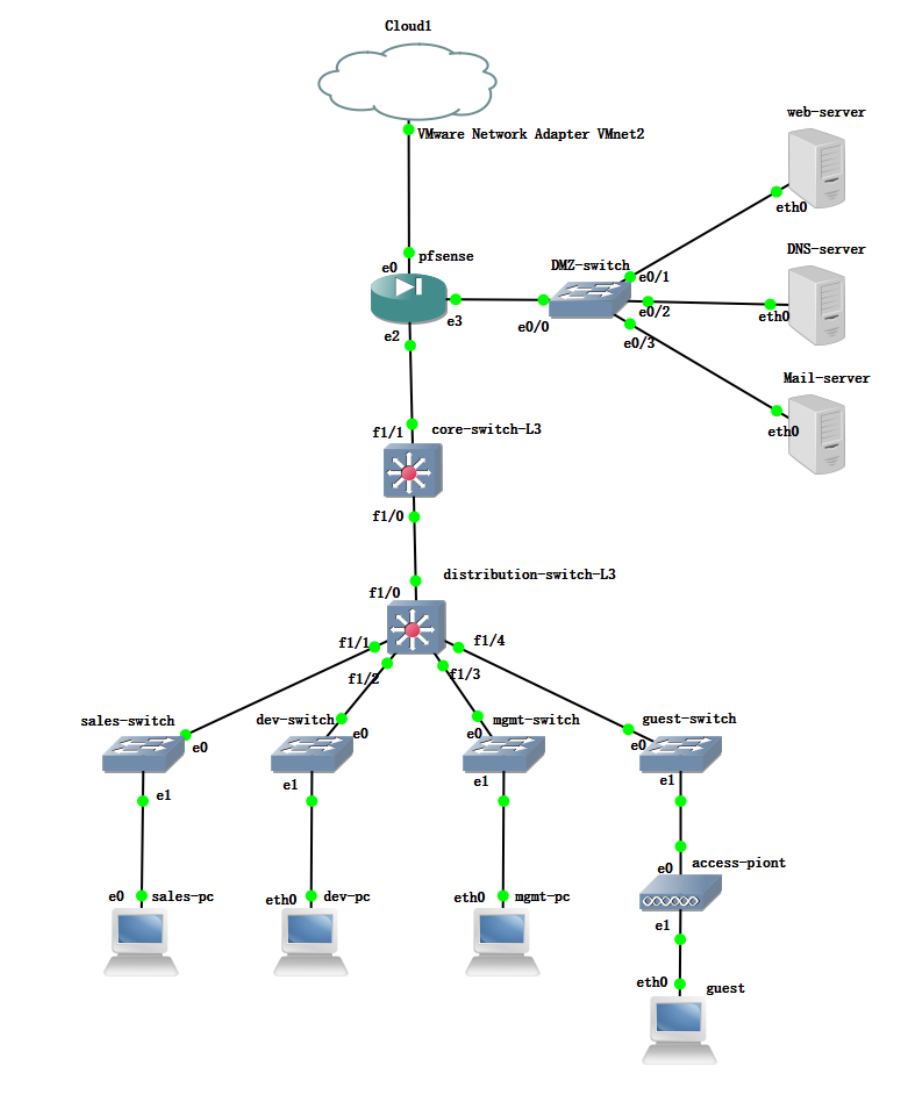
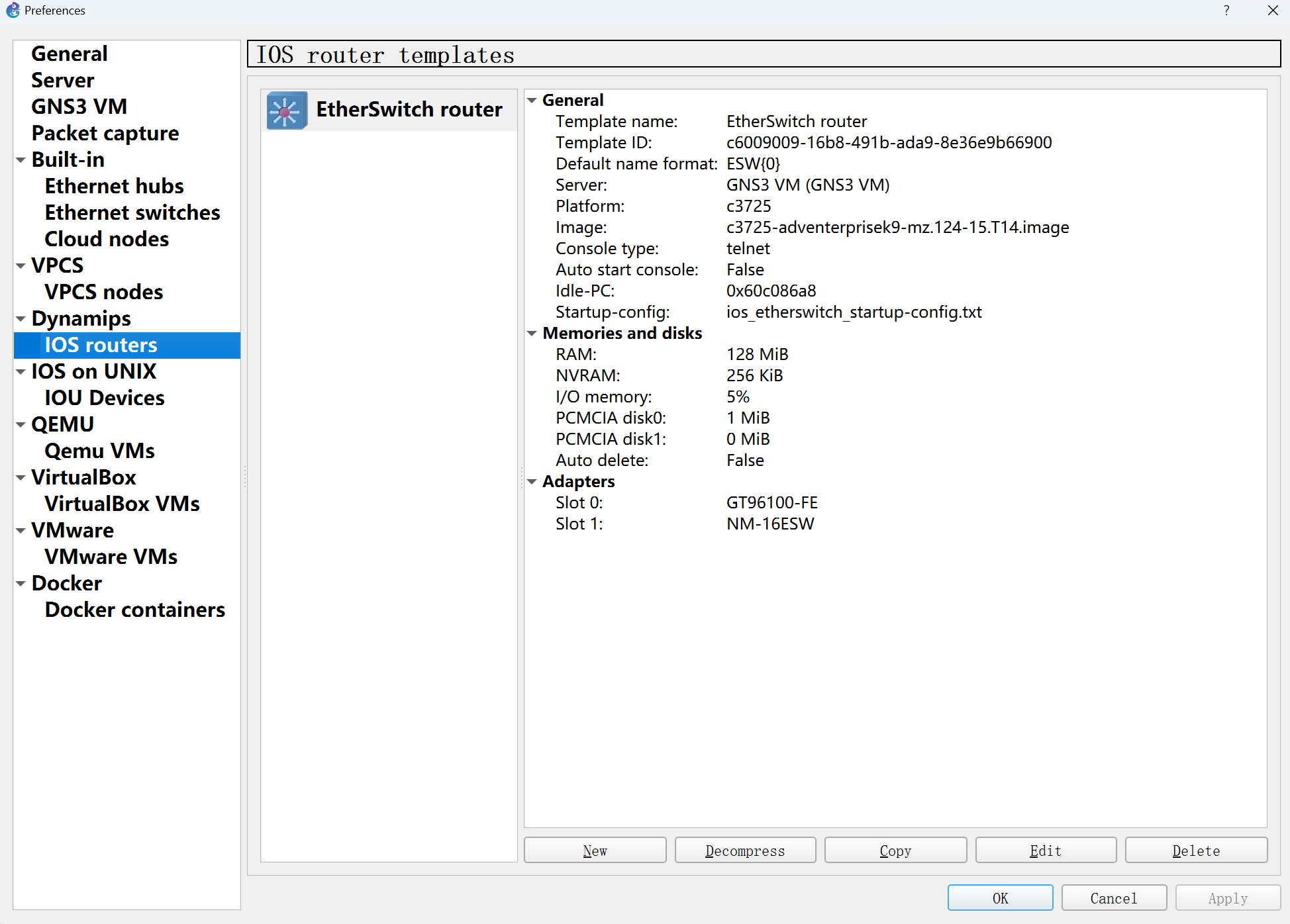
配置核心三层交换机(core L3)
enableconf t! 开启路由功能ip routing! 配置连接 pfSense 的接口 (f1/1)interface f1/1 no switchport ip address 10.0.254.2 255.255.255.0 no shutdownexit! 配置连接 汇聚L3 的接口 (f1/0)interface f1/0 no switchport ip address 10.0.253.2 255.255.255.0 no shutdownexit
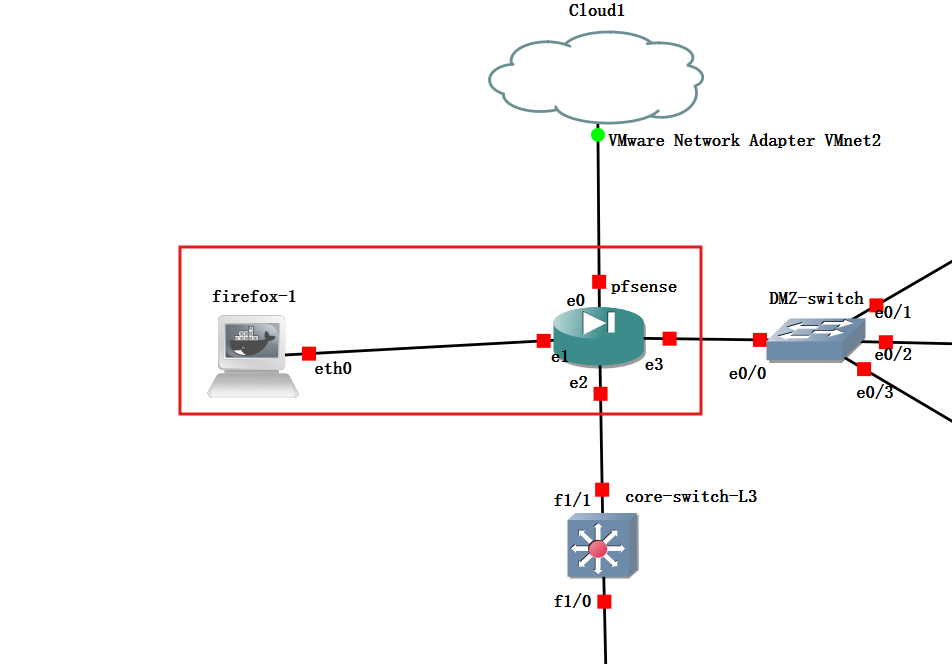
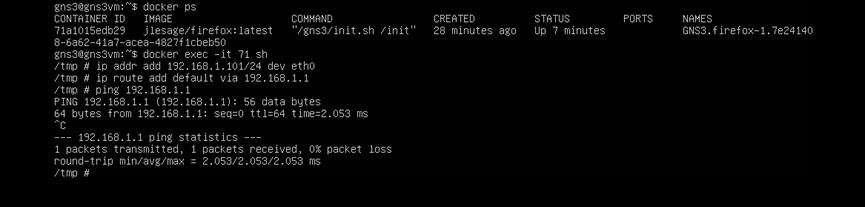
docker psdocker exec -it ship addr add 192.168.1.10/24 dev eth0ip route add default via 192.168.1.1
复制代码
System -> Routing -> Static Routes:添加一条静态路由:将内网网段 10.0.0.0/16的下一跳(Gateway)指向核心交换机的接口 IP:10.0.254.2
配置DMZ服务器
<ul>web服务器
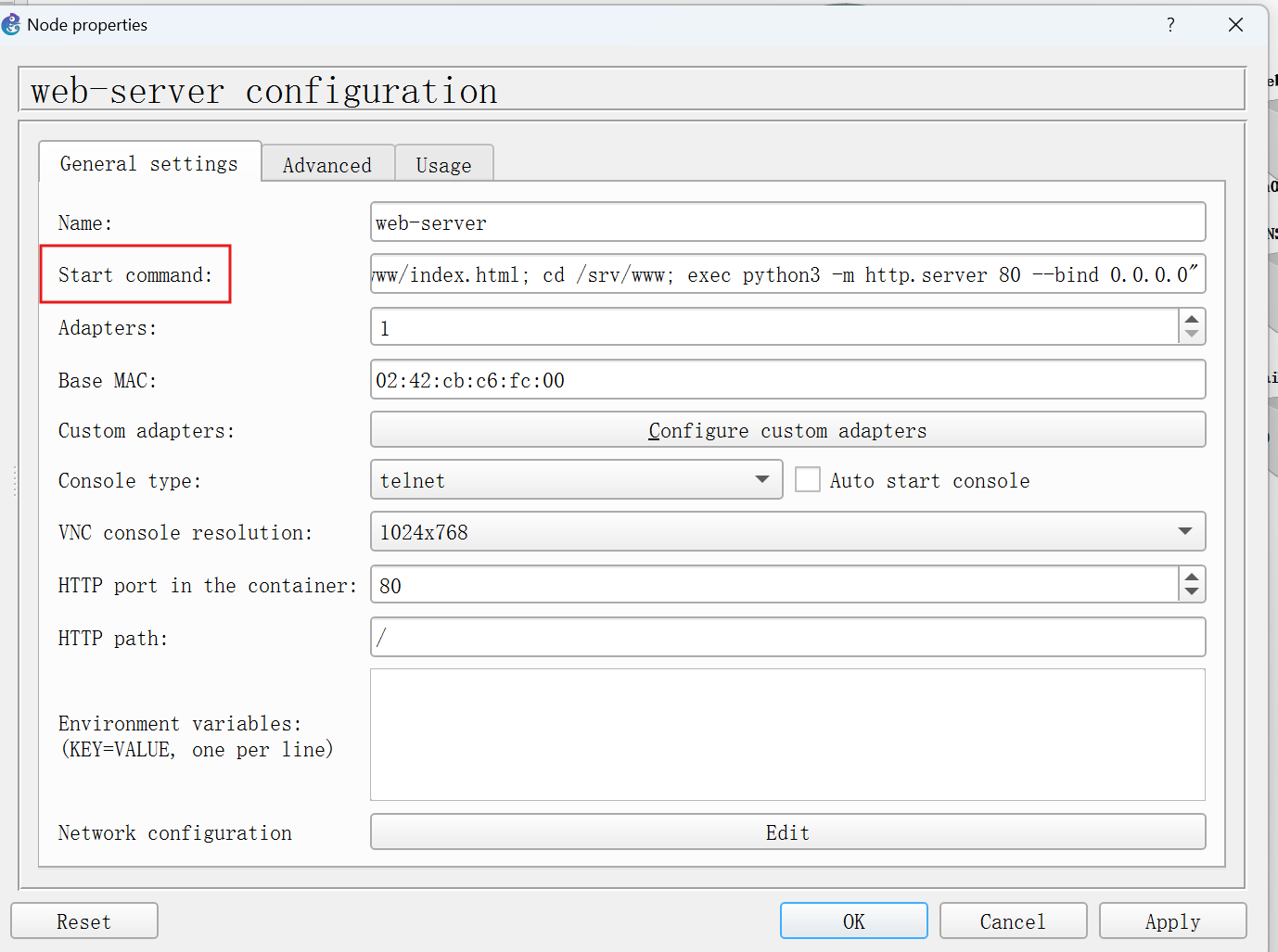
拖出来之后双击进设置,填start command,启动设备时web服务也随之启动。
sh -lc "ip addr add 10.0.99.10/24 dev eth0; ip link set eth0 up; ip route replace default via 10.0.99.1; mkdir -p /srv/www; echo 'DMZ WEB OK' > /srv/www/index.html; cd /srv/www; exec python3 -m http.server 80 --bind 0.0.0.0"
DNS服务器
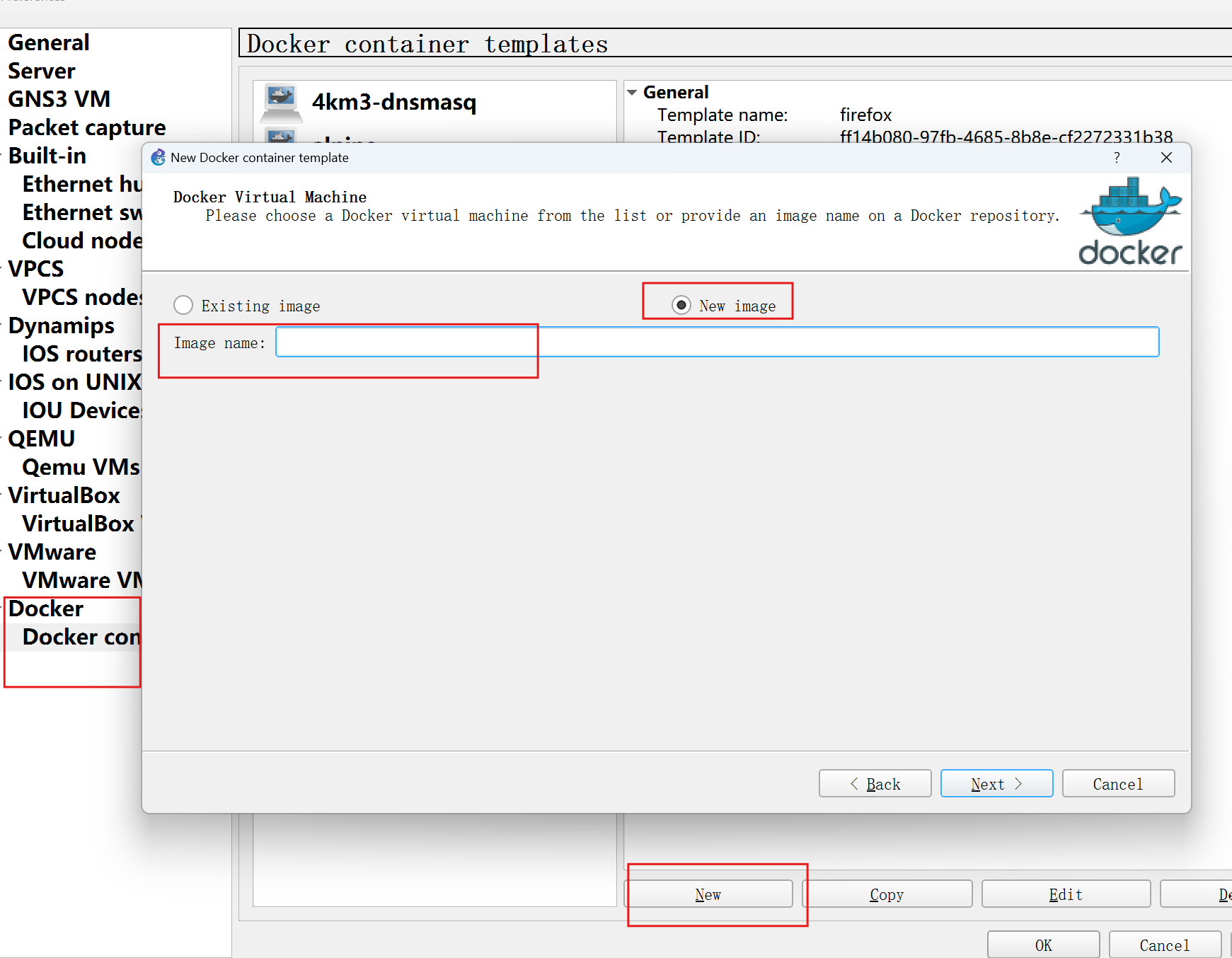
接Cloud上一个能访问公网的接口下载
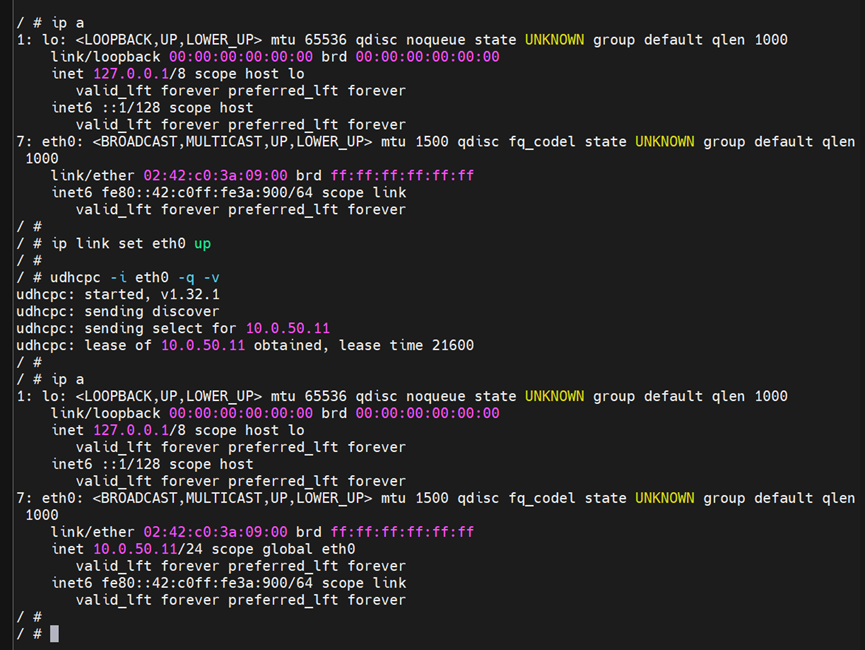
ip link set eth0 upudhcpc -i eth0ip routeapk updateapk add dnsmasq bind-tools
复制代码
接dmz交换机,这里在编辑配置文件并启动服务:
[code]ip link set eth0 upip addr add 10.0.99.20/24 dev eth0ip route replace default via 10.0.99.1cat > /etc/dnsmasq.conf





 提升卡
提升卡 置顶卡
置顶卡 沉默卡
沉默卡 喧嚣卡
喧嚣卡 变色卡
变色卡 千斤顶
千斤顶 照妖镜
照妖镜


